


LinkedIn: Community & Network
3.9103.23K Reviews
App Specs
- Version
- 4.1.1224
- Updated On
- License
- Free
- Downloads
- 1,000,000,000+
- Developer
- Categories
- Business
- Platform
- Android, iOS
Screenshots

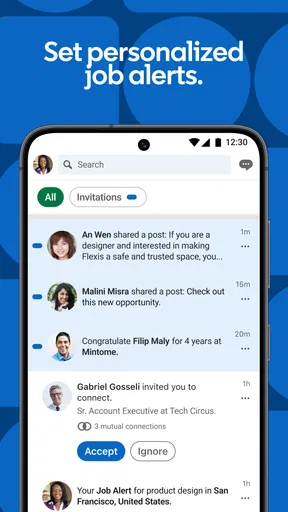
 Analysis by AppCompare
I use LinkedIn: Jobs & Business News best when I treat it as a work tool with a clear purpose, rather than another feed to check whenever I have a spare minute. It brings networking, job searches, and professional news together, which is convenient, but that mix can also pull me in several directions. A little structure makes the difference: I decide whether I am there to look for roles, keep up with my field, or make a useful connection before I open it.
Building a useful routine around work and opportunity
I find a routine works best when each visit has one clear purpose: check a role, follow up with a person, or catch up on a relevant discussion. That keeps the mix of career activity and news from turning into aimless scrolling. Next, I’d look at the small choices that make those visits more useful, especially how I set boundaries around alerts and search.
A baseline workflow that stays manageable
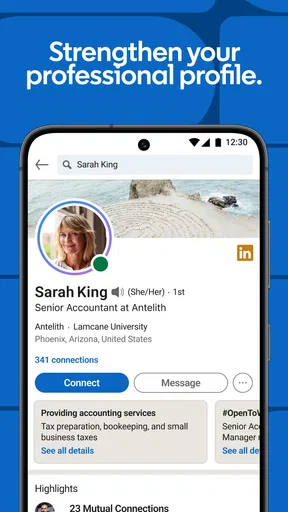
For me, a sensible routine starts with the profile. I keep the experience and skills I want to be known for easy to scan, then check that the rest of the page supports the same professional story. That matters because a profile is not only a record of past work: it is also the context people see when I comment, send a connection request, or apply for a role. I would rather make a few accurate updates than fill every section just to make the page look busy.
Guides and Analysis on LinkedIn: Community & Network
From there, I separate browsing from acting. When I have time to explore, I read the feed and save useful ideas mentally or follow up with a thoughtful comment. When I am job hunting, I focus on search results and role details instead. This small distinction helps me avoid the familiar trap of spending a long session reading career content without taking a concrete step.
A realistic weekday use might be checking the app during a commute or lunch break, noticing a role that fits, and reviewing it properly later before applying. I would not send an application based only on a quick glance at the title. I check the location, responsibilities, and employer information, then compare the requirements with my profile and experience. The app can make discovery convenient, but the decision still deserves attention.
Settings and profile choices worth checking
The profile is the part I would revisit most carefully before expecting useful job suggestions or recruiter attention. Keep role descriptions specific, use skills that genuinely match your work, and make sure your current direction is clear. If your experience spans different fields, lead with the kind of work you want next rather than leaving readers to guess. A complete profile helps, but clarity is more valuable than adding details that do not support your goals.
Job filters are worth using deliberately. Location, company, and salary range can narrow a broad search, but I would not set them so tightly that a promising adjacent role disappears. I start with the requirements I truly cannot compromise on, then widen the search to compare what else is available. If a result is interesting but imperfect, I inspect the role instead of dismissing it solely because its label does not match my usual search terms.
Worth Reading Before You Choose

Flipboard Shows What News Apps Must Do Beyond the Feed

Switching to Android Auto Means Rethinking Your Driving Routine

Google Calendar Makes a Crowded Week Easier to Manage

Ludo King Makes the Most of the Minutes Between Plans

Baby Panda World Brings Quick Play to Modern Phones, but Its Game Library Feels Busy

ESPN’s Live Game View Makes Following Close Games Easier
Notifications also deserve a quick review in the settings available on your device and account. Frequent alerts can make a job-search habit feel urgent even when there is nothing you need to do right away. I prefer a routine I control: open the app when I have time to assess opportunities and respond, rather than treating every buzz as a deadline. That is especially useful if I am employed and browsing discreetly around other responsibilities.
Faster patterns for networking and job hunting
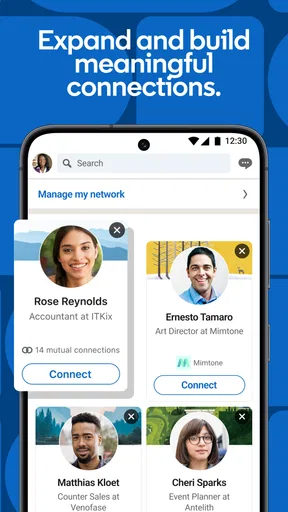
When I want to connect with someone, I look for a clear reason to do so before tapping the request button. A shared professional topic, a useful discussion, or a genuine interest in their work gives the connection more purpose than collecting names. If there is room to add a personal note, I keep it specific and brief. The goal is not to pitch myself immediately; it is to make the reason for reaching out understandable.
For job searches, I use a repeatable check before applying: does the role match the work I want, can I meet its main requirements, and does my profile make that fit visible? This catches a common mismatch between a promising listing and an application that does not explain why I belong in the process. It also makes the app’s suggested jobs more useful as discovery prompts, rather than treating every recommendation as a perfect match.
The feed works better for me when I engage selectively. I read posts from people and organizations relevant to my interests, then comment only when I have something useful to add. That gives professional discussion a purpose and keeps my activity from becoming a stream of generic reactions. News and articles can be a starting point for learning or conversation, but I still check whether a claim is worth relying on before repeating it in a work setting.
In my experience, the app is strongest when these actions reinforce each other: a clear profile supports a targeted application, and a thoughtful comment can give a new connection a natural opening. They do not have to happen in one sitting. A short, consistent check-in is often more practical than trying to overhaul a profile, search every role, and respond to every discussion at once.
Where it fits among other career tools
Compared with a conventional job board, this app has the advantage of placing listings beside professional profiles, connections, and industry conversations. That context can help me understand who is discussing a field or what employers are sharing, while a job-only service may feel more direct when I simply want to compare openings. I would use both approaches if a search mattered: one for the broader professional context, and a focused job site for a concentrated scan of listings.
It is also different from a private contact manager. The network is useful for discovering and maintaining professional connections, but I would not assume that every person I connect with will become a close contact or respond to a message. For deeper conversations, an email exchange, a meeting, or a more focused community may be better. The app can open a door; it cannot create trust on its own.
For business news, the feed saves me from opening several sources just to see what people in my professional orbit are discussing. The trade-off is that a social feed is not the same as a carefully organized news desk. If I need comprehensive coverage or an impartial view of a developing story, I go to dedicated reporting sources as well. I treat the feed as a useful pointer, not the final word.
Limits to keep in mind before relying on it
Some of the app’s convenience depends on how well I maintain my profile and how carefully I search. Suggestions can be useful, but they are not a substitute for checking role details or looking beyond the first set of results. A title may sound right while the responsibilities do not, and a recommendation can reflect profile information that no longer describes the work I want. I periodically adjust my search rather than assuming the first results represent the whole market.
The combination of jobs, networking, and news can make the experience feel busy. If I mainly want a quiet place to read long-form reporting, or a simple tool for tracking applications, this may not be the most focused choice. I keep a separate note of roles I have applied to and any follow-up I owe, instead of relying on a social feed to serve as my entire job-search system. That small habit reduces the chance that a useful listing gets lost among unrelated updates.
There is also a social side to using a professional network: posting and commenting can feel performative if I do it only because I think I should. I do not believe daily activity is necessary for everyone. A well-maintained profile, a relevant response now and then, and direct outreach when there is a real reason can be more comfortable and useful than trying to appear constantly visible.
It is a free business app from LinkedIn, with in-app purchases listed from $7.49 to $899.88 per item. I would explore the free experience first and consider paid options only if a specific need becomes clear; the mere presence of purchases is not a reason to upgrade. The app is rated for Everyone, and its average rating is 4.2 from around 3.4 million ratings. More than 1 billion installs suggest it is widely used, though popularity alone does not guarantee that its mix of networking and job tools suits every person.
Who gets the most value from it
I recommend it to people who want professional networking and job discovery in the same place, especially those who are open to keeping their profile current and taking a few minutes to personalize their activity. It can be helpful for someone exploring a career change, a recent graduate shaping a professional presence, or an experienced worker keeping an eye on roles without making a full-time job search of it. The app is less compelling if you have no interest in maintaining a public-facing professional profile or prefer to keep career conversations entirely offline.
For a focused application campaign, I would pair it with a simple personal tracking method. Record the employer, role, application date, and next action somewhere you can reliably revisit. Then use the app to find and assess opportunities, not to hold every detail of the process in your memory. This is a practical distinction: discovery and networking are its natural strengths, while a dedicated tracker may be easier for managing a long list of applications and follow-ups.
What the app feels like in everyday use
I found the user interface pretty intuitive. The home feed is a blend of professional updates, articles, and job posts, which makes it feel like your personal career news hub. The app's design is clean, making it easy to navigate through your profile, connections, messages, and more.
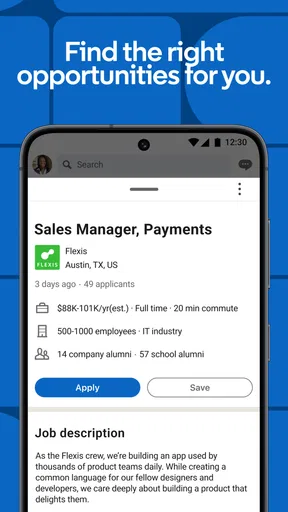
If you’re in the job market, the job search feature is a total game-changer. You can filter job listings by location, company, and even salary range. The app also suggests jobs based on your profile, which is super handy if you’re not sure what to search for. And applying is a breeze—you can do it directly in the app with your LinkedIn profile.
Another cool feature is the ability to see how you stack up against other applicants. It gives you a little insight into the competition, which I found motivating rather than daunting.
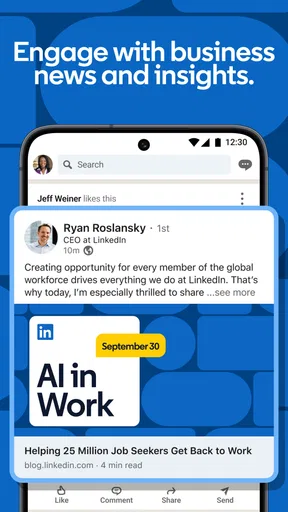
Now, let’s talk about those business news updates. The app curates news stories that are relevant to your industry and interests. I love this because it saves me from scrolling through endless news sites. Plus, you can join in on discussions in the comments, which is a great way to engage with other professionals and share your thoughts.
One thing that stands out is how the app encourages continuous learning. There are tons of articles and posts about skill development and career growth. It’s like having a mentor in your pocket, nudging you to keep moving forward.
Making the most of its tools over time
To really get the most out of LinkedIn: Jobs & Business News, it's worth taking the time to fully set up your profile. Think of it as your digital resume. Add your skills, experiences, and maybe even a snazzy profile picture. The more complete your profile, the more likely you are to get noticed by recruiters and like-minded professionals.
The app is developed by LinkedIn and first released on April 7, 2011. It is currently at version 4.1.1152.1, with a minimum operating system requirement of 9. Those details matter most when deciding whether an older device can run it; for everyone else, the more important question is whether its professional mix matches how they want to manage work opportunities.
My strongest practical tip is to give each visit a small objective. I might check a role, respond to a message, or read one discussion tied to my work. If I open the feed without a purpose, it is easy to keep scrolling because there is always another update. A clear stopping point helps me leave with an action rather than a vague sense that I have been “networking.”
Overall, if you’re looking to boost your professional presence, find new opportunities, or just stay in the loop with business news, this app is definitely worth checking out. It’s like having a career coach, job board, and networking event all rolled into one. So go ahead, give it a try and see how it can work for you!
Pros
- Extensive professional network.
- Customizable job alerts.
- In-depth company insights.
- Skill endorsements enhance profiles.
- Career advice and learning resources.
Cons
- Limited messaging without Premium.
- Frequent notifications can overwhelm.
- Profile visibility settings are complex.
- Algorithm may suggest irrelevant jobs.
- Some features locked behind paywall.
FAQs for LinkedIn: Community & Network
What is LinkedIn: Jobs & Business News?
LinkedIn: Jobs & Business News is a professional networking app that connects users with business opportunities, industry news, and potential employers. It offers a platform for job searching, networking, and sharing industry insights. The app is widely used by professionals to enhance their career prospects and stay updated with business trends.
How can I search for jobs using LinkedIn?
To search for jobs on LinkedIn, you can use the 'Jobs' tab within the app. This feature allows you to filter job listings based on industry, location, and other criteria. You can also set up job alerts to receive notifications about new opportunities that match your preferences, making the job search process efficient and personalized.
Is LinkedIn free to use, or does it require a subscription?
LinkedIn offers both free and premium subscription options. The free version provides basic networking features, job searching, and access to some business news. The premium subscription, LinkedIn Premium, offers additional features such as advanced search filters, insights on job applicants, and the ability to send messages to people outside your network, enhancing your professional reach.
How can I improve my LinkedIn profile to attract potential employers?
To enhance your LinkedIn profile, ensure it is complete and up-to-date with a professional photo, a detailed summary, and a comprehensive list of your skills and experience. Endorsements and recommendations from colleagues can also boost your profile's visibility. Regularly engaging with content and participating in groups can further establish your professional presence.
Can I access LinkedIn Learning through the app?
Yes, LinkedIn Learning is accessible through the LinkedIn app for users with a premium subscription. It offers a vast library of courses across various topics to help you develop new skills. Whether you’re looking to learn about project management or improve your digital marketing skills, LinkedIn Learning provides valuable resources for professional development.


